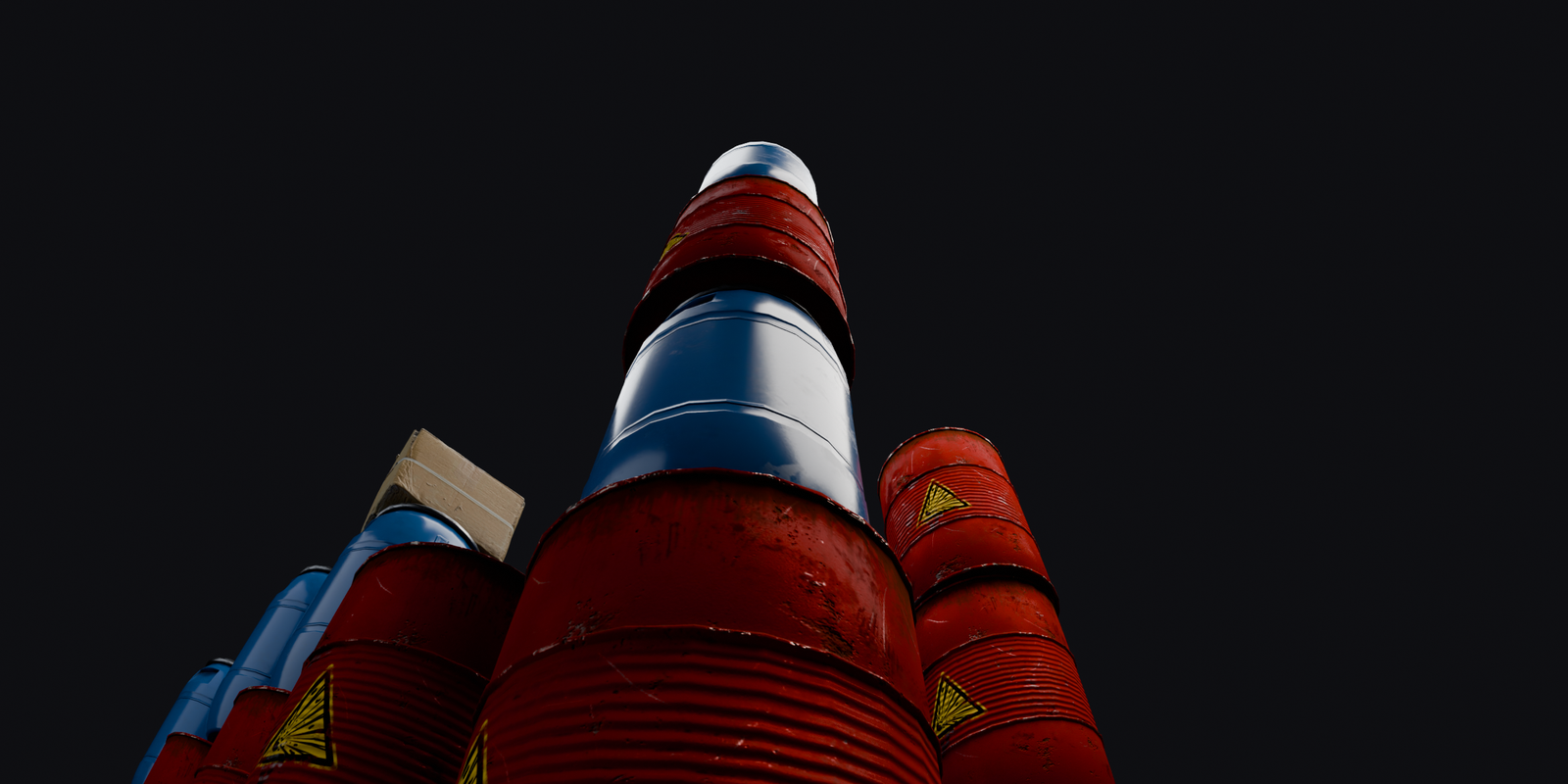
Low angle wide shot looking up three towers of oil drums stacked eleven high
Height dead level Still

Eleven drums high and still dead level.

Blender · geometry nodes

Point it. It piles up.

A node group that stacks anything from a collection — flush, level, never by hand.

£1.99

Any object. Any pile.

Books, boxes, crates, drums — anything that fits in a collection. Real bounding boxes drive the spacing, so nothing floats and nothing intersects.

Twelve randomised book stacks built from one Stack Anything modifier
Grid stacks Still

Seven source objects, twelve stacks, all different.

Two shelves of books packed in a row using the Along Y direction
Row shelf Still

Switch Direction and the same stack becomes a shelf.

Three stacks of differently sized boxes sitting perfectly flush
Bounds flush Still

Different sizes, wandering origins — still flush and centred.

Books, cardboard boxes and oil drums stacked side by side from different collections
Variety anything Still

Same node group, one collection swapped.

Same stack, left dead-straight at zero, right opened up with spin, lean, shift and scale
Random dial it in Still

Same collection, same count — Seed, Spin, Lean, Shift and Scale do the rest.

Dial the mess, not the placement.

Spin, Lean, Shift and Scale Min/Max add per-item randomness without ever breaking the packing. Gap adds breathing room, or goes negative for soft, squashy overlap.

Host
Blender 5.2+
Type
Geometry nodes group
License
Commercial, one payment
Updates
Included for owners

Level, no matter the load.

Accumulate Field — not a repeat zone — tracks how far each item sits along the stack. Independent stacks in a grid each build their own height, so nothing needs guessing.

A wide grid of many independent randomised stacks from one modifier
Scale grid Still

A whole floor of stacks, one modifier.

Close detail of oil drums and a wrapped crate showing the gap between stacked items
Gap breathing room Still

Gap adds space between items — negative values overlap them.

Questions

No. Stack Anything is a node group inside a .blend file. Append it, or point your Asset Browser at the folder and drag it onto an object.
No. Every item is measured from its real bounding box, not its origin, so messy or off-centre origins still land centred and flush.
Yes. Output is instances of your original objects, so materials, UVs and modifiers all come along, and the viewport stays light. Add a Realize Instances node after it, or apply the modifier, if you need real geometry.
Blender 5.2 and newer.

Stop placing one at a time.

Stack Anything
Blender · geometry nodes
£1.99