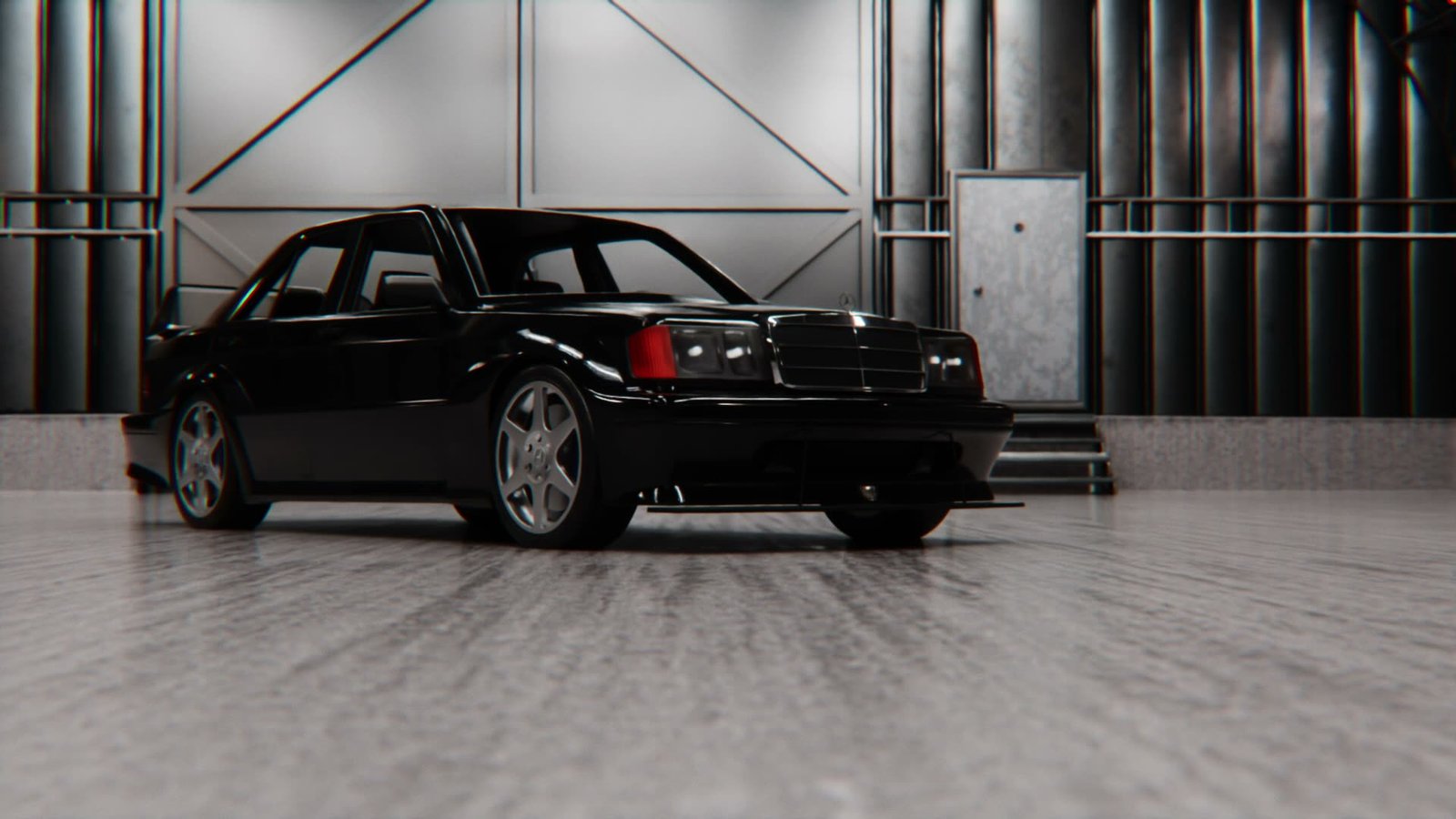
A black Mercedes 190E lit in a garage, the camera moving around it in one continuous take and settling back on the frame it opened on
Hero hero-loop Render

Blender add-on · camera

Cineflow

Waypoint-based camera animation with timing controls and easy to adjust positions.

£24.99

Place. Path. Time.

Three moves. No keyframe stack to fight.

01

Place waypoints

Frame the view, drop a waypoint, repeat. Pie menu E in Object Mode.

Cineflow in the Blender viewport on a Super Nintendo controller scene, waypoints being placed around it and stacking up as segments on the timeline
Waypoints step1-place Viewport
02

Tweak the path

The curve builds itself as you place. Nudge a waypoint and it reflows.

The waypoint path drawn through the Blender viewport with the camera gizmos on it, a waypoint being moved and the curve reflowing, the speed graph and shot segments alongside
Path tweak-path Viewport
03

Time it

Linger, ease, ramp. Drag the grips until the move lands.

The finished shot: a slow push out from the buttons of a Super Nintendo controller to reveal it whole, lit against a dark backdrop
Render step3-time Output

Adjust the timing with ease

Linger, ease, ramp the speed. Drag the grips on the timeline until the move sits right.

Cineflow's speed graph for the segment: a curve held flat, spiking to a peak, then falling away, with keyframe handles on the shape and a playhead tracking the move
Speed graph speed-ramp-graph Ramping

Speed graph

The same camera move as a finished render, the ramp reading as a held beat then a push
Render speed-ramp-render Output

Final render

Fast to block. Easy to change.

Anyone can get a move down quickly. The work is in the tenth revision — so move a waypoint, reshape a handle, and your timing holds.

A top-down view of the waypoint path running past a car, each waypoint tagged with its frame, one of them moved by hand and the curve reshaping around it
Recovery guided-recovery Viewport

Press E. Frame it. Drop it.

Place Waypoint, Build Path and Save as Shot, one key away. Works with as few as two waypoints.

Cineflow's pie menu open in the Blender viewport over a car model, with Add Waypoint, Build Path and Save as Shot to hand, dropping waypoints one at a time from the current view
Pie menu place-waypoints Viewport

Never leave the viewport

Most of what you reach for is a keypress away, not a trip to the N-panel. Path and speed graph sit right on the viewport.

Blender with Cineflow running: the camera view on the left, a top-down view of the car and the waypoint path on the right, the speed graph inset over it, and the shot segments laid out along the timeline
Viewport viewport-rig Screen recording

Bring your strangest camera moves to life

Whip past a rooster, dive through a barn. If you can frame it, you can fly it.

A camera move that starts tight on a rooster in a field, then whips away and flies low past a wooden barn towards the water
Render strange-moves Output

Moves that loop

Land the last waypoint where the first one started and the move runs forever. Turntables, banners, background plates.

A black Mercedes 190E in a garage, the camera circling it in one continuous move and arriving back exactly where it began
Render loop-move Seamless loop

What’s in it

Everything below ships in the one purchase.

Waypoints
Frame the view, drop a point. The path builds as you go.
Arc-length path
Respects distance between points, and reshapes in the viewport.
Timing grips
Linger, ease and ramp from the Timeline or Dope Sheet.
Speed graph
Shape each segment on a viewport overlay, not a panel.
Lens on the path
Focal length animated along the move.
Look-at
Target a subject with look-ahead, so the camera finds it early.
Auto-bank
The horizon leans into a turn and levels out after.
Shake layers
Handheld weight on top of a move you already like.
Shot list
Save, mute, colour-code and duplicate setups in one file.
Guided recovery
Edit the curve by hand and keep the timing you built.
Plain Blender out
Standard objects and keyframes. Graph Editor any time.
Pie menu
E in Object Mode for everything you reach for most.

Where it lives

3D Viewport → N-panel → Cineflow, and E in Object Mode. It writes standard Blender objects and keyframes, so the Graph Editor is always there.

Host
Blender 3.0+
Use
Camera paths
License
GPL-3.0, commercial
Updates
Included for owners
The Cineflow N-panel in Blender: Place Waypoint and Build Path at the top, then collapsed Shot, Speed, Motion, Look At, Path, Lens and Shake sections
Panel n-panel N-panel

Questions

Yes. Cineflow outputs standard Blender objects and animation. Drop to the Graph Editor any time.
3.0 and newer. Extension install from 4.2+. Tested through 5.2.
Yes. One payment. Owner updates stay free, including upcoming focus along the path.
Yes. GPL-3.0-or-later. Email ollie@oculis.studio if a scene breaks.

Block the shot.

Cineflow
Blender · camera
£24.99