Blender add-on · Geometry Nodes · 5.2 and up
Flying FPV takes months of stick time. Drawing a line takes a minute.
Keyframed fly-throughs glide.
Real drones don't.
How you use it
Build the path, then tweak to taste.
Click a line through the scene, draw it freehand, load one of the 16 built-in shots, or point it at a bezier you already have.
Pick a feel, set a top speed, bake. Physics makes the motion; the keyframes only record it.
Drop a target on a subject. The drone finds it on approach, holds it through the pass, lets go.
A pilot can't hit frame 240.
This lands on it every time.
Ghost drones
Scrub to a moment and grab the drone there. Point it anywhere.
Speed CurveNew in v1.4
The speed stands over the path as a line. Up is faster, down is slower.
Keep Shot Length
Re-paces the flight like a speed ramp, so the shot keeps its length.
Fix Length
Type a duration. The flight lands on it, however you drag the drones.
Underneath, Smart FPV caps corner speed by lateral g, brakes early enough to arrive at a flyable speed, and respects thrust on the punch-outs. Dives carry speed; climbs bleed it.
TricksNew in v1.4
Up the face, over the top inverted, down the far side. Room for a building underneath.
Sized to the feel
Race 4 m, Cine Sport 6 m, Cinematic 9 m. Or type your own.
Drawn loops count
Draw one by hand and it flies over the top.
Flips and rolls
Timed to the feel. Race snaps one in 15 frames, Cinematic takes 40.
Auto TrackUpdated in v1.4
Pick the object, pick a style, press Track Object. It reads where the subject goes and builds the whole shot from that — path, timing, look target.
| Style | The shot | Gap it held |
|---|---|---|
| Right on the car and working side to side, hunting the shot | 4.0–10.3 m | |
| Tucked in behind the boot lid, low and close. The add-on's default | 6.6–12.7 m | |
| Up and behind, looking down on the roof and the road ahead | 12.1–15.6 m | |
| Comes up the side and holds station at window height | 4.5–6.3 m | |
| Closes from behind and goes over the roof at the climax | 1.9–11.5 m | |
| Flies ahead of the car, facing back at the grille | 8.7–12.6 m | |
| Knee high and right on the arch. A short, punchy beat | 2.9–6.7 m |
It stays editable
What comes out is an ordinary flight plan: normal path, normal ghosts, normal feel sliders. Drag them.
Flown by an operator
Eases off before the car brakes and lets the gap breathe. Operator Feel sets how loose.
Release Subject
Hands the flight back to Smart FPV. Path, drones and look target all stay put.
It needs a subject that goes somewhere — motion is sampled from the evaluated scene, so keyframes, a rig, a constraint or a sim all work. Stops, reverses and handbrake turns are outside the follow model.
Tight interiors
Threading an interior costs a stick pilot re-flights. You get the line you drew, on every bake.
Shot Pack
Hover any of them to watch it fly, click for a closer look. Select what you're shooting and load one — the shot fits itself to the object's size, so a 40 m building flies four times faster than a 10 m prop and keeps the duration it was designed for.
It loads onto the rig
An editable path, not a baked camera. Drag the drones, change the feel, add look targets, re-bake.
Fits your subject
Origin at the base of its bounding box. Facing spins the whole shot around it.
Brings its own setup
Feel preset, timing, tricks, look target and uptilt.
Everything it does
Smart FPV
Set one top speed. It works out the corners, the braking and the punch-outs.
Flight feel
Cinematic, Cine Sport or Race. Six sliders.
Speed CurveNew
Grab the speed over the path and pull it.
Click Path and Draw Path
Click a line through the scene, or draw it freehand over the ground. Both set the rig up and bake on the spot.
Power LoopNew
One click, with room underneath.
16 built-in shots
Scaled to whatever you point them at.
Auto Track
Seven chase styles. The subject sets the pace.
Look targets
Distance-driven. Acquire, hold, release.
Fix LengthNew
Type a duration. It lands on it.
Angle and lensNew
On every flight, live.
Camera uptilt
A driver you can tweak without re-baking.
Wander and shake
Prop-wash jitter, breathing drift, altitude sag in the banks.
Agility and drag
Drag auto-matches cruise speed, so the horizon sits level.
Live re-bake
Re-solves as you edit.
Honest overlay
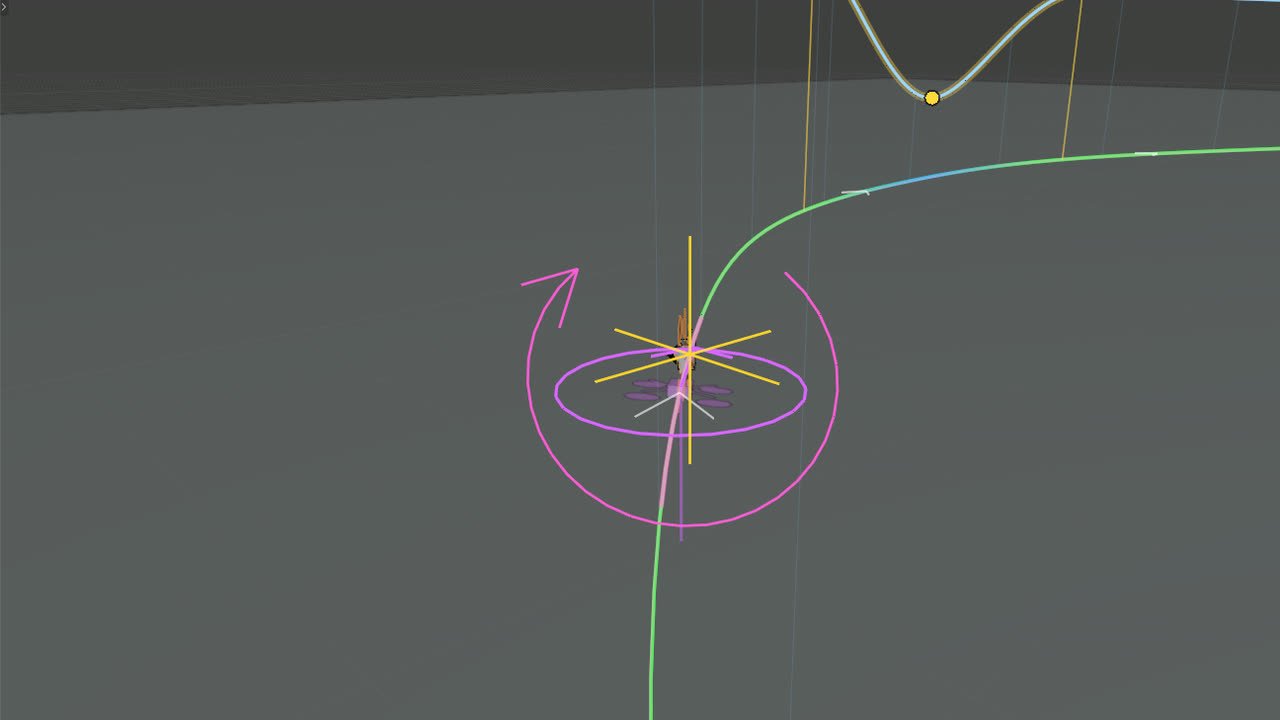
Magenta draws the line it actually flew, and the panel reports the miss in metres.
Plain keyframes
Uninstall the add-on afterwards and the shot still renders.
Requirements
Blender 5.2+
The physics runs in a geometry-nodes simulation zone, so earlier versions can't run it.
2–5 s a bake
On a normal scene.
Output
An ordinary empty and camera, on plain keyframes.
Not for composed moves
After a smooth, controlled camera move rather than a flown one? Cineflow will serve you better.
Where it lives
3D Viewport, N-panel, FPV. It builds into the scene you already have.
Changelog
Owner updates are free. The Speed Curve, Power Loop, Auto Track and the Shot Pack all landed after launch, in the copy people already bought.
Grab the speed.
The Speed Curve, one-click power loops and a drone that rides the playhead. Half the controls on screen. Old scenes fly exactly as before.
Fewer controls in the way.
Feel sliders re-bake with Live, no more double bakes, and a new flight starts clean.
A trick has to go past upside down.
Short of that it stays an aim, so a hard look up at a tower no longer throws a somersault. Ghost heading survives being tipped past vertical too.
Auto Track.
Select a car, pick a style, press Track Object. Seven chase styles, and the gap re-solves from the subject on every bake.
Click Path and Draw Path.
Click a line through the scene, or draw it freehand. Drones edit like objects, and the 16 Shot Pack moves load onto the rig.
First release.
The path, the physics, the ghosts and the bake.
Price
Buy it once and it is yours. Owner updates are free, so everything in the changelog above lands in your copy.
Commercial
Sell the work you make with it.
GPL-3.0
Or later.
Free owner updates
Every version since launch, at no extra cost.
Questions
No. Every flight bakes to plain keyframes on a normal empty and camera.
Cine Drone
No controller. Just a line.